
 +
+
Cobrowsing for Intercom Support
Reduce resolution time with live cobrowsing built directly into Intercom.
Talk to the Team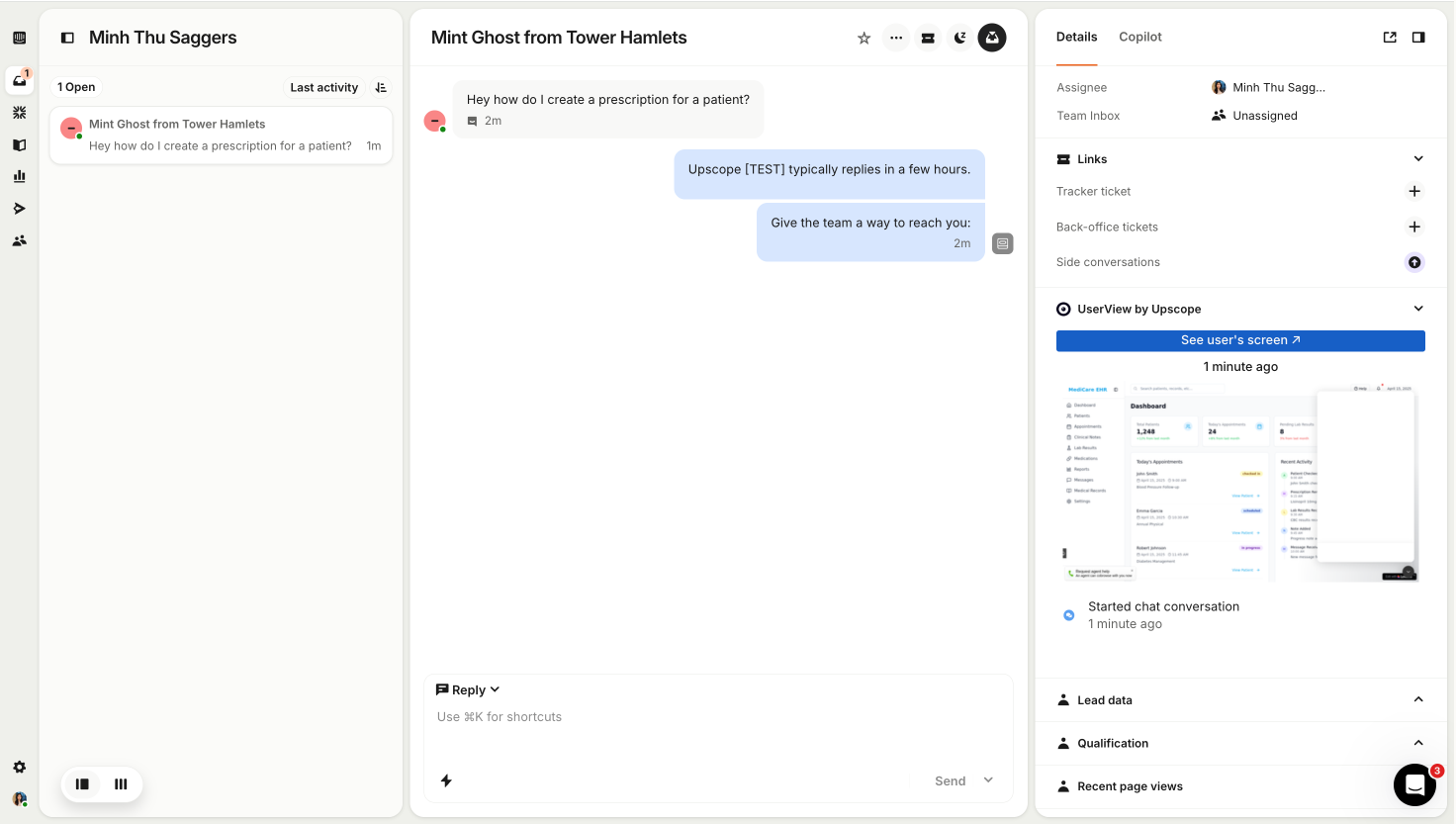
Integration Overview
UserView's Intercom cobrowsing integration gives your team the power to see what your customer sees and remotely click for them, directly within Intercom. The integration is simple to set up and even easier to use, turning high friction customer service points into quick client chats.
How to use your
UserView Intercom Integration
It's simple to get started. Follow these three easy steps to begin screen sharing with your customers directly from Intercom.
Open UserView Widget
Access the UserView widget directly within your Intercom interface
Widget appears automatically in active Intercom conversations
No need to leave your current workflow
Click 'See User's Screen'
Simply click the button to initiate screen sharing with your customer
One-click activation for instant screen access
Customer receives a simple permission request
Cobrowse with Client
Start guiding your customer through their screen in real-time
Take control or provide guided assistance
Use annotation tools to highlight important areas
Why choose UserView for Intercom?
Instant Connection
Launch a UserView cobrowsing session in one click from any Intercom chat to guide visitors live.
Full Control
Take control of the customer's screen or provide guided assistance with annotations.
Seamless Integration
Works directly within Intercom with no additional software or downloads required.
Ready to get started?
Connect UserView with Intercom in just a few clicks and start providing better customer support today.
Advanced customization and developer controls
UserView's cobrowsing technology is designed for deep, flexible integration with your product and support workflows. From SDK access to fully customizable user experiences, you have complete control over how cobrowsing behaves inside Intercom.
SDK and API Access
Leverage JavaScript and native mobile SDKs to control every aspect of the cobrowsing experience. Configure session initiation, permission handling, data masking, UI triggers, and event hooks to match your product requirements.
Custom UI and Text Control
Fully customize all user-facing elements, including prompts, labels, and messaging. Align cobrowsing interactions with your brand voice and localize experiences for global users.
Custom Prompt and Consent Flows
Design and implement your own consent and approval flows to meet compliance requirements while maintaining a seamless, on-brand user experience.
Event-Based Triggers
Automatically start or suggest cobrowsing sessions based on user behavior, page context, or internal workflows using API-driven logic.
Transform your Customer Support
Join hundreds of companies using UserView's Intercom cobrowsing integration to deliver faster, more effective customer support experiences.