 +
+
Screen sharing for Salesforce Service Cloud
Embed cobrowsing screens or buttons directly in Sales Cloud and Service Cloud. Enable agents to visually guide customers through complex processes without leaving Salesforce.
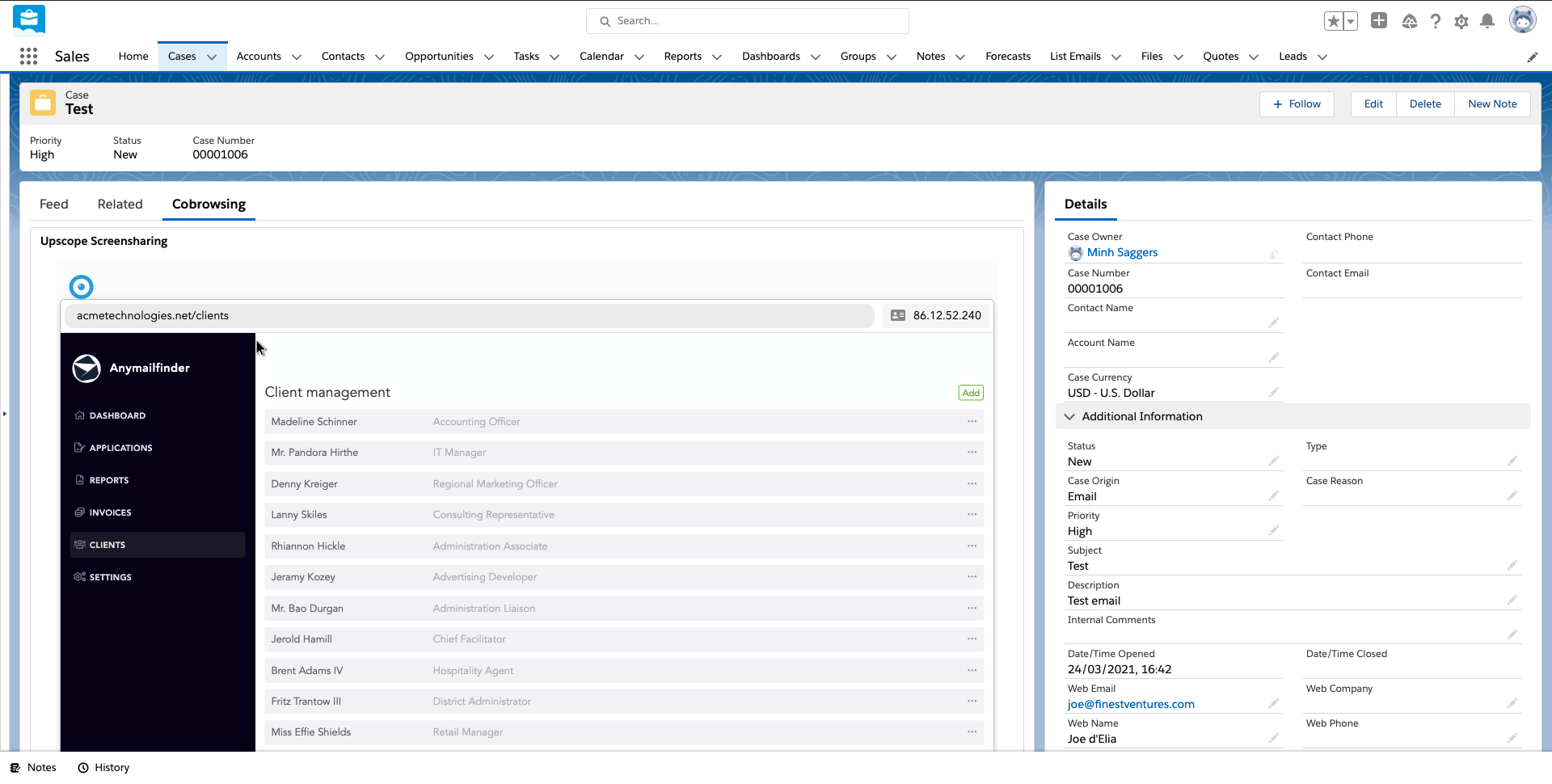
Advanced Tools for Salesforce Users
Powerful session tools that work seamlessly with your Salesforce workflow
How to Use UserView with Salesforce
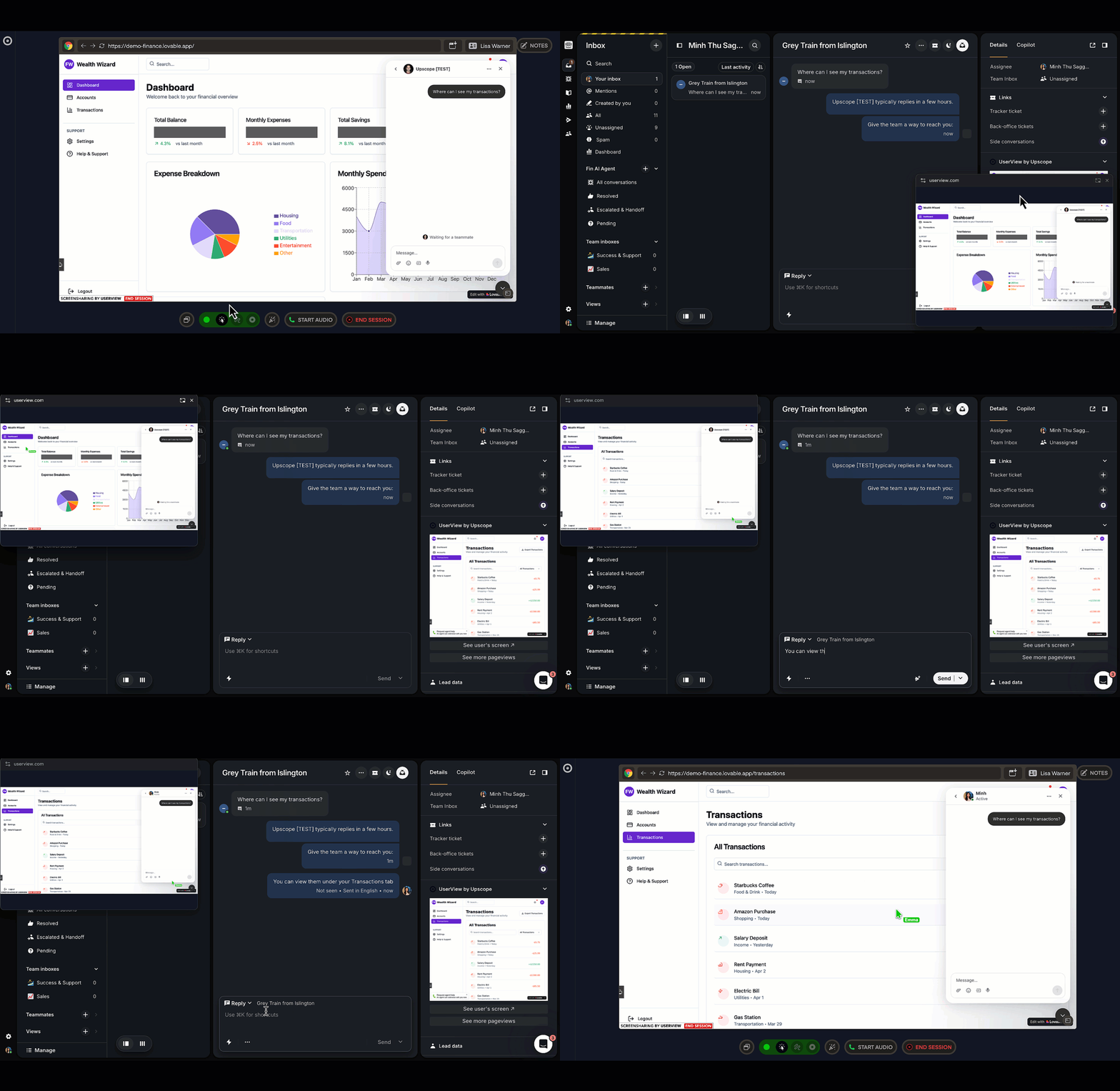
It's simple to get started! Follow these three easy steps to begin screen sharing with your customers directly from Salesforce.
Open UserView Widget
Access the UserView widget directly within your Salesforce interface
Widget appears automatically in active Salesforce conversations
No need to leave your current workflow
Click 'See User's Screen'
Simply click the button to initiate screen sharing with your customer
One-click activation for instant screen access
Customer receives a simple permission request
Cobrowse with Client
Start guiding your customer through their screen in real-time
Take control or provide guided assistance
Use annotation tools to highlight important areas
Why choose UserView for Salesforce?
Instant Connection
Launch a UserView cobrowse in one click from any Salesforce case to guide customers live.
Full Control
Take control of the customer's screen or provide guided assistance with annotations.
Seamless Integration
Works directly within Salesforce with no additional software or downloads required.
Ready to get started?
Connect UserView with Salesforce in just a few clicks and start providing better customer support today.
Transform your customer support
Join hundreds of companies using UserView to deliver faster, more effective customer support experiences.