

Seamless Support Integrations for Customer Service
May 27, 2026
Your customer support team could be using tools you haven't approved. According to Zendesk research, nearly 50% of agents use shadow AI, meaning systems used without approval from IT, security, or data governance teams. In industries with sensitive customer data, like finance and healthcare, the risk of data leaks increases.
These tools frequently include unauthorized AI assistants and productivity apps that agents discover independently, driven by frustration with a tech stack that fails to meet their needs.
Stricter policies can help, but what if smarter, more targeted solutions were already part of your stack? That's why seamless support integrations for better customer service are worth investing in.
How to identify the customer support tool integration capabilities your team is missing
The answer to missing CS tool integrations is usually fairly easy to spot; you just need to know where to look. Here’s where you can begin your search:
- Start where your agents are improvising. Workarounds, extra steps, and repeated manual tasks are signs that the tool isn’t doing what it should.
- Look at the same metric that keeps underperforming. High handle times for specific ticket types or Customer Satisfaction (CSAT) variance. between agents are reliable signals that a gap exists somewhere in your stack
- Track how often the same questions keep coming in. If customers can't self-serve, your documentation is likely missing, outdated, or out of sync with the product.
- Measure how long diagnoses take. Without cobrowsing, screen recordings, or visual evidence, agents spend most of their time gathering context rather than solving problems.
- Audit how your team evaluates agent performance. Manually reading tickets to assess agent performance means the evaluation layer is missing, and coaching has no structured foundation to build on.
- Find out who lacks access to insight. Quality Assurance (QA) analysts, team leads, and managers often work around fragmented or manual tools that the rest of the stack fails to account for.
Once you know where the friction lives, the fix becomes clearer. Some of these capabilities may already exist in your platform in a basic form; others don't exist.
The seamless support integrations for customer service you'll see next share the ability to go beyond out-of-the-box features. But the ones that are worth adding depend entirely on your team's needs and what your current tech stack is missing.
8 seamless support integrations for better customer service
1. Secure cobrowsing with UserView
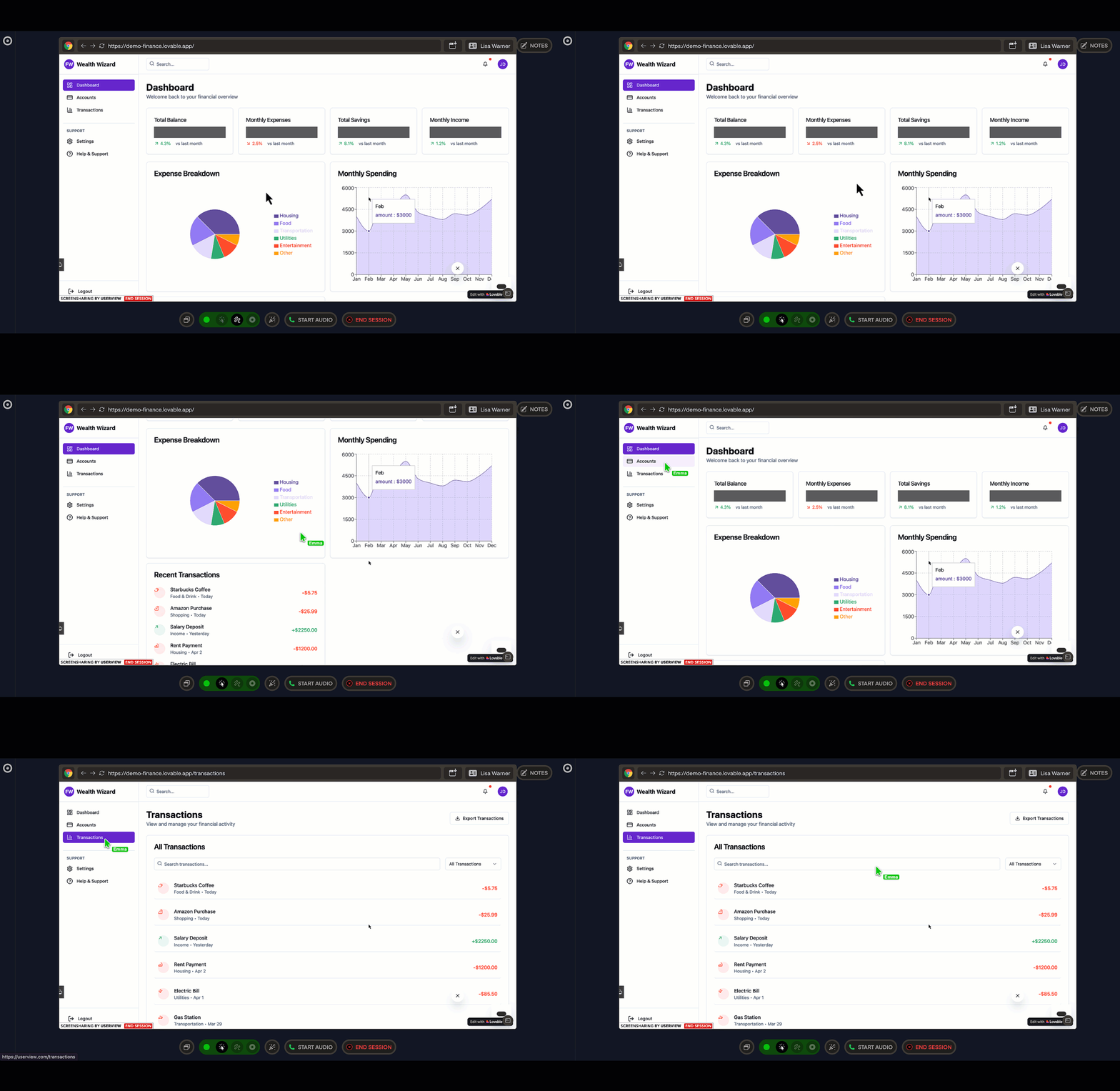
UserView is a cobrowsing tool that lets agents see and control a customer's browser in real time, with no downloads required. Agents can draw on the screen, click, scroll, and type on the customer's behalf.
Cobrowsing is a more specific capability than screen sharing. Teams working in highly regulated industries often find that their current platform does not meet the bar they need. UserView closes that gap by giving agents direct browser control without exposing sensitive data or requiring the customer to install anything.
- Integrates with: Zendesk, Intercom, Salesforce, LiveChat, and more
- Best for: Fintech, healthcare, insurance, complex SaaS products, and high-friction support scenarios where the first question is often, "What do you see on your screen?"
2. Live data visualization with Geckoboard
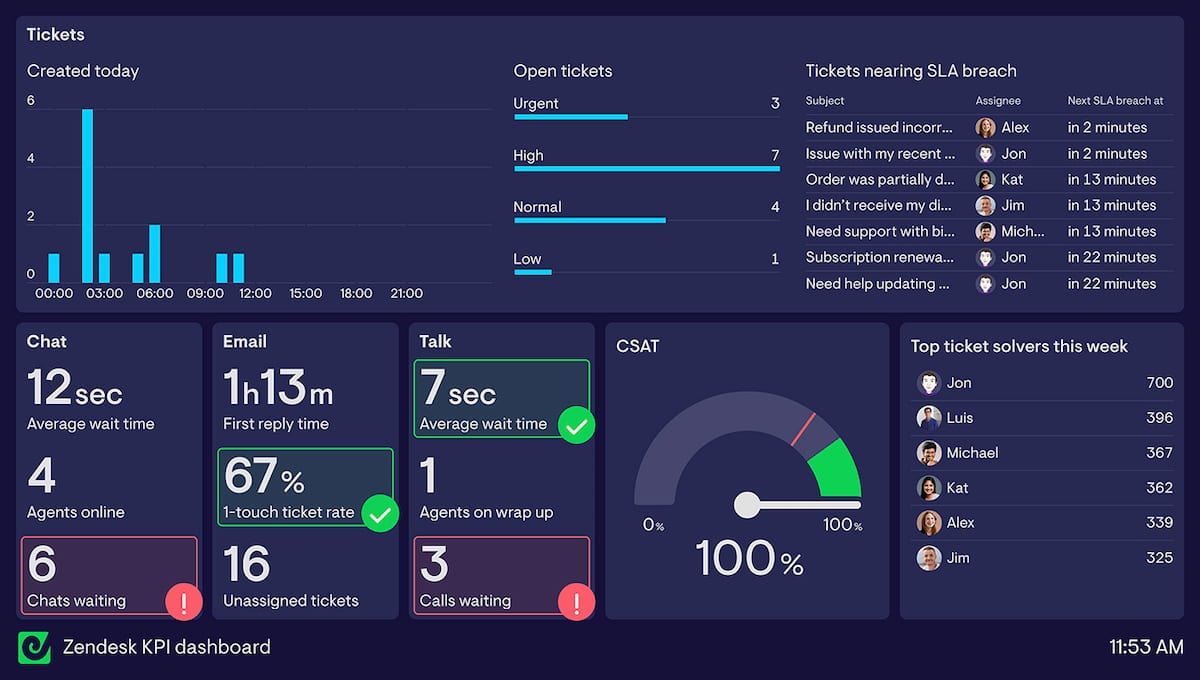
Geckoboard is a live KPI dashboard tool that pulls data from your helpdesk, CRM, and 90+ other sources into a single shared view, visible on office screens, on mobile devices, and via shared links. It goes beyond native dashboards by combining sources in one place and providing instant Slack or Teams alerts when metrics cross thresholds.
Support operations rarely run on a single platform, and native reporting reflects that limitation. If your data lives across a helpdesk, a phone system, and a CRM, Geckoboard is the practical way to bring it together without custom development.
- Integrates with: HubSpot, Salesforce, Zendesk, Aircall, and more
- Best for: Support teams of any size that want live, shared visibility into queue health and performance without building custom reports.
3. Customer feedback with Simplesat
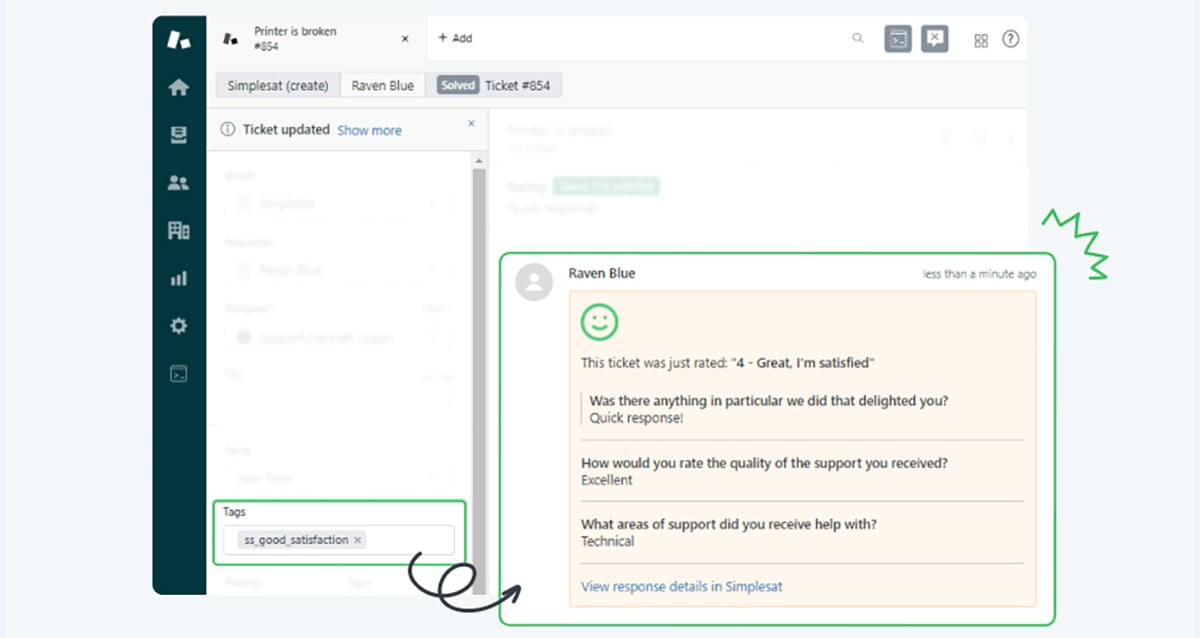
Simplesat is a customer feedback tool that embeds CSAT, Customer Effort Score (CES), and Net Promoter Score (NPS) surveys directly into closed-ticket notifications and email signatures. Customers can rate their experience with one click, and responses flow back into the ticket as notes.
Feedback collection tends to be one of the features that gets included but not prioritized in broader platforms. For teams where survey response rates and metric depth drive decisions, a tool designed around that specific workflow tends to deliver better results.
- Integrates with: Freshdesk, Gorgias, Intercom, LiveAgent, and more
- Best for: Support teams in SaaS, IT services, and managed services that want satisfaction, effort, and loyalty scores in one place without adding a separate survey tool or paying per seat.
4. Support Quality Assurance with MaestroQA
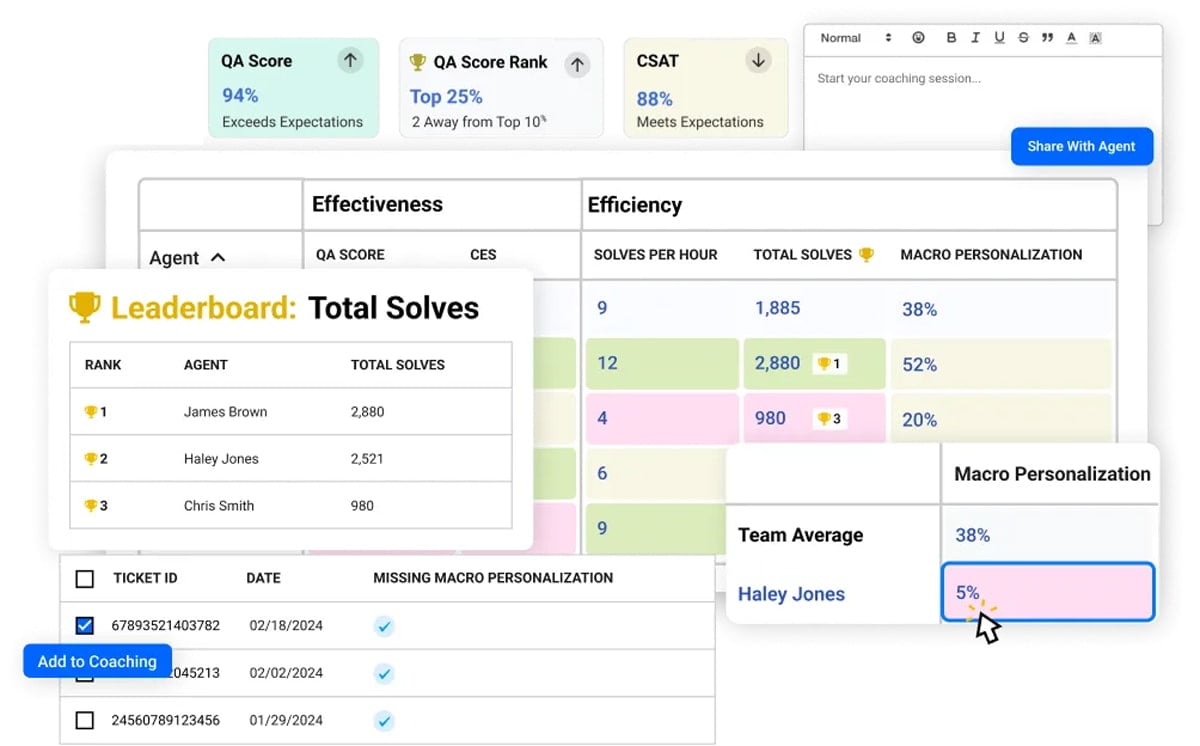
MaestroQA is a support QA platform that scores agent conversations using custom evaluation criteria built around your processes and policies. It combines AI-automated grading with structured human review, feeding evaluations into coaching dashboards.
Most QA programs rely on a manager to review a handful of tickets each week, leaving the vast majority of conversations unexamined. For teams that need every interaction evaluated against their own policies, MaestroQA covers the full picture.
- Integrates with: Front, Zendesk, Intercom, Kustomer, and more
- Best for: Support teams that need structured, scalable QA beyond manual ticket sampling, particularly those in regulated industries or high-volume environments where policy adherence and agent coaching are operational priorities.
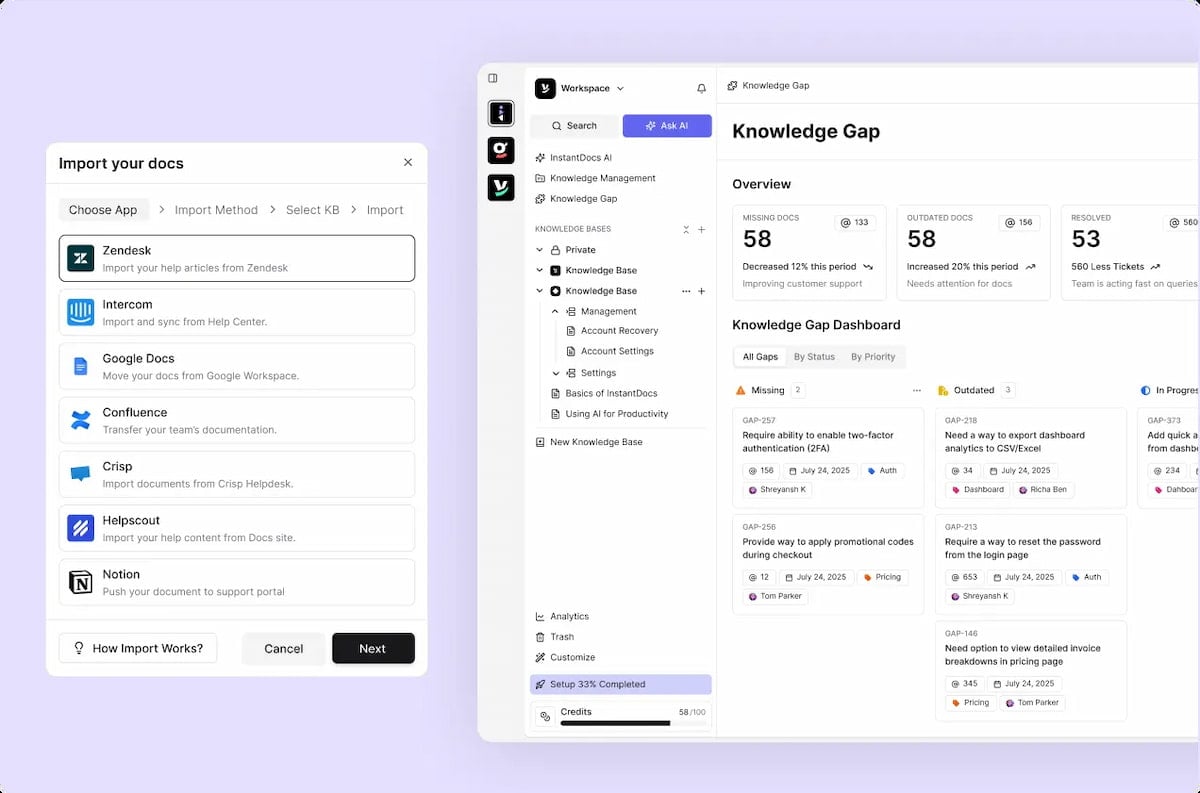
5. AI knowledge base with InstantDocs
InstantDocs is an AI knowledge base tool that automatically turns screen recordings into formatted help articles, complete with screenshots and step-by-step instructions, ready to publish. It detects content gaps by analyzing what customers search for and don't find, and flags outdated articles based on recent ticket patterns.
Traditional support ticket software tools usually include knowledge bases. Very few have a way to keep them accurate, complete, and growing without someone on the team dedicating time to it. InstantDocs turns that maintenance burden into an automated process.
- Integrates with: Zendesk, Intercom, Crisp, Front, and more
- Best for: Fast-growing SaaS teams, support orgs where "update the KB" is perpetually on the to-do list, and teams without a dedicated documentation resource.
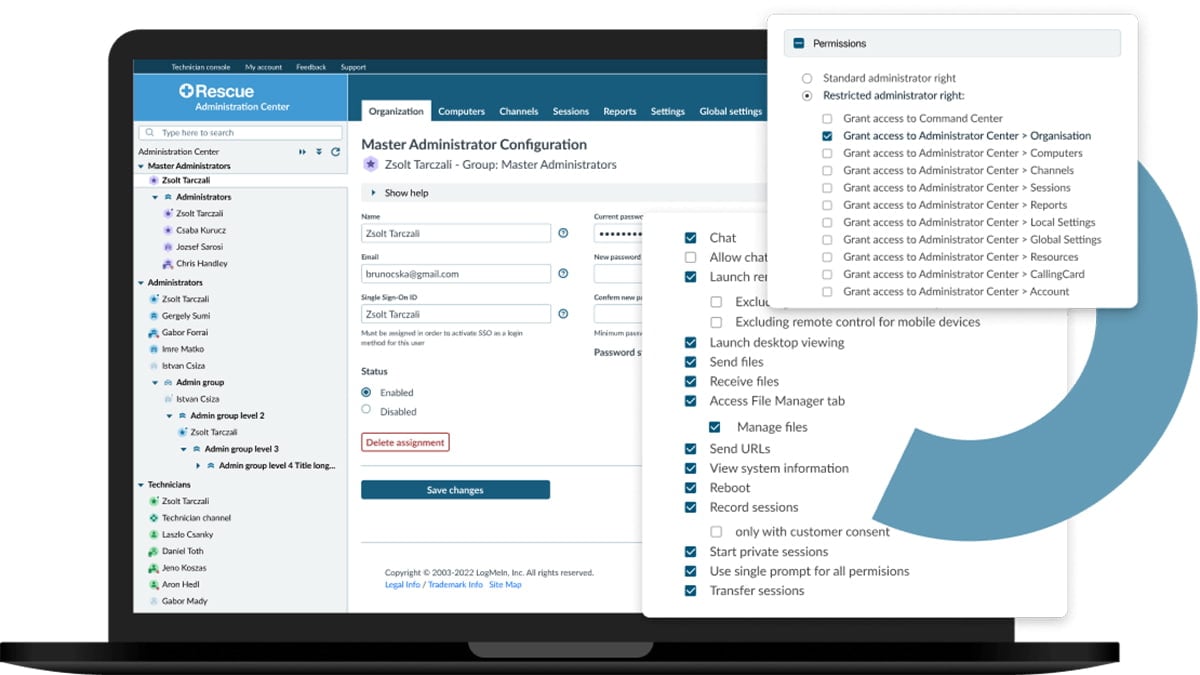
6. Device remote access with LogMeIn Rescue
LogMeIn Rescue is a remote access tool that gives support technicians full control of a computer, phone, or tablet, including inactive devices, with no setup required on the customer's end. AI-powered session notes automatically compile the chat log, device info, and actions taken into a structured post-session summary.
This is a more specific type of support integration for customer service that helps teams provide direct support on a device, especially for users who lack technical confidence. In those situations, the right level of access makes a practical difference in the average resolution time.
- Integrates with: Salesforce, Zendesk, Freshdesk, HappyFox, and more
- Best for: IT helpdesks, enterprise technical support teams, and hardware or software companies where you can’t resolve issues without direct access to the device.
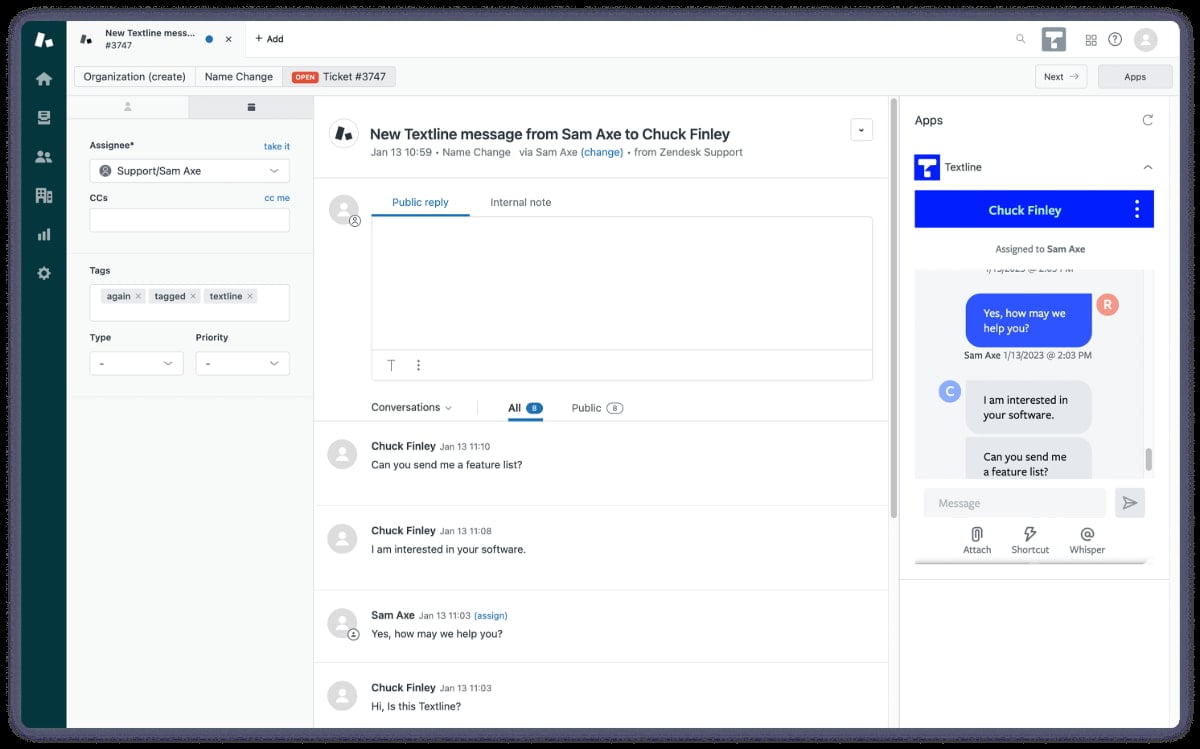
7. SMS support with Textline
Textline is a business SMS platform that adds a team-managed text inbox to your support stack, with message routing, automated replies, and per-agent performance metrics. Multiple agents can collaborate on the same thread and leave notes that are visible only to the team.
SMS, as a support channel, has operational requirements that a basic phone number add-on does not meet. Routing, team visibility, and performance tracking rarely come standard with helpdesk SMS features. Textline brings the same structure teams already have for email and chat to text conversations.
- Integrates with: Help Scout, Talkdesk, Zendesk, HubSpot, and more
- Best for: Healthcare, field services, logistics, and SaaS teams where customers are more likely to respond to a text than open an email or wait on hold.
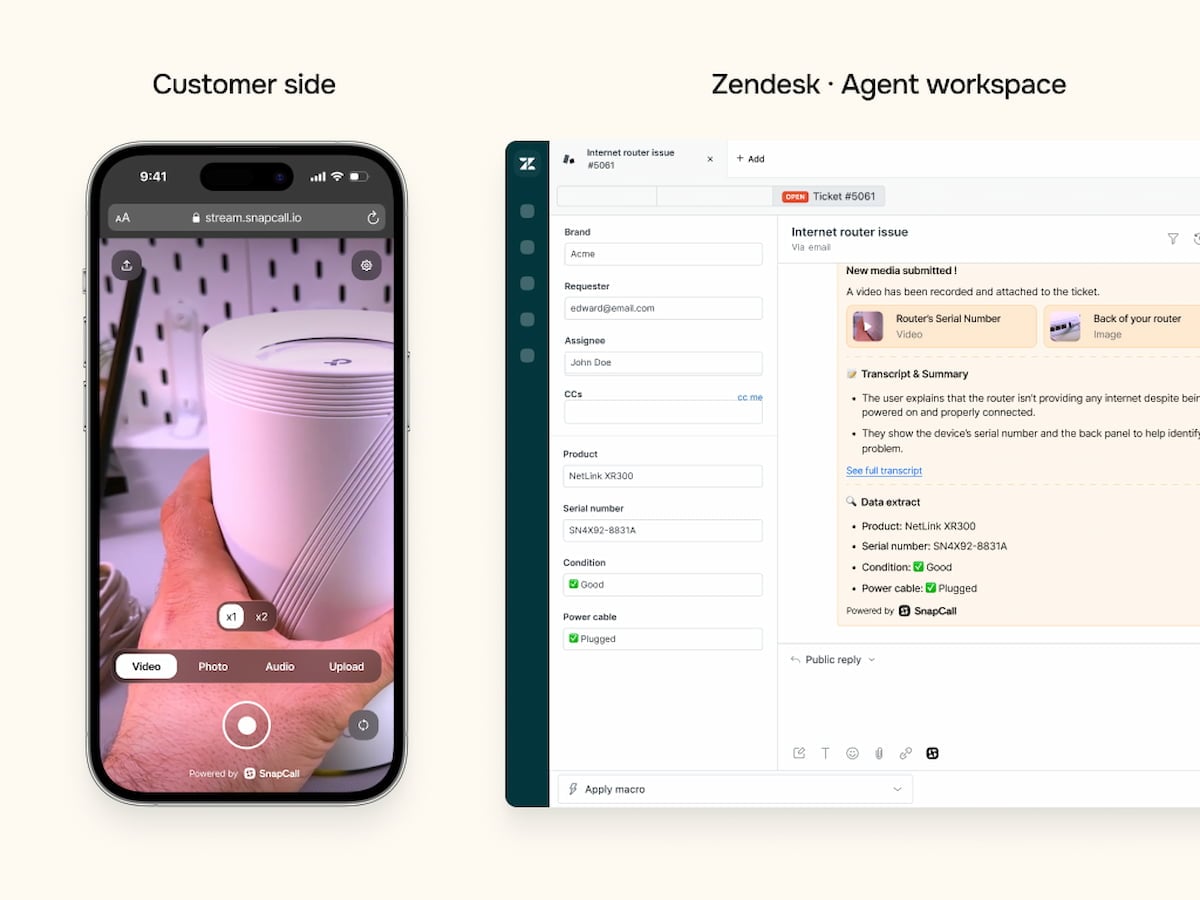
8. Visual support evidence with SnapCall
SnapCall is a visual support platform that lets customers send video clips, screen recordings, photos, or documents directly into a ticket. AI instantly analyzes the content, summarizes the issue, and populates ticket custom fields with structured data. For complex cases, agents can escalate to a live video call with one click.
Visual evidence can be the difference between a one-reply resolution and a five-message thread going nowhere. A customer reporting an error code on a washing machine can record the display, letting the technician diagnose the issue remotely and determine whether a part needs replacing before anyone visits the home.
- Integrates with: Zendesk, Salesforce, LiveChat, Intercom, and more
- Best for: Consumer electronics, home services, retail, automotive, and any product category where issues are difficult to describe accurately in words.
Each of the support integrations for customer service we covered on this list seamlessly improves team performance in its own way. But if your agents spend 30 minutes troubleshooting issues that visual guidance could resolve in five, cobrowsing becomes your go-to solution.
How cobrowsing seamlessly supports customer support resolution
Cobrowsing is a no-download tool that gives agents a live view of a customer's screen and the ability to navigate it directly. It's one of the best support integration capabilities for walking customers through complicated workflows, diagnosing interface issues, and resolving problems that are nearly impossible to describe in words.
With a cobrowsing integration like UserView, you can:
- See exactly what the customer sees instantly to eliminate the "What do you see now?" guessing game.
- Navigate, scroll, and click on their behalf to resolve complex workflows or data-entry errors as if you were sitting right next to them.
- Launch sessions without any downloads or installations, preventing the drop-off that comes with asking customers to join an external meeting link.
- Protect sensitive information automatically with data masking that hides fields like credit card numbers or social security numbers.
Getting UserView up and running takes minutes. You paste a JavaScript snippet onto your site, connect it to Zendesk, Intercom, or Salesforce in five minutes, and agents can launch sessions directly from their existing interface without switching tools.
Ready to resolve complex technical workflows that phone and chat simply can't describe?
Book a UserView demo today to see how a no-download cobrowsing session changes the experience for both the agent and the customer.
About the Author
Claudia Nobauer
Claudia is a marketing strategist at UserView and loves business strategy, customer experience and communication.